Notifications
Get emailed when a workflow drifts or a PR campaign needs attention, instead of checking the dashboard.
What Notifications Cover
Section titled “What Notifications Cover”ActionsManager can send email notifications for two kinds of events:
- Workflow drift — a workflow becomes drifted, is resolved, or a drift check fails (API/permission error)
- PR campaigns — a campaign opens, some pull requests fail to create, a campaign completes, or an individual PR merges/closes/fails
Notifications are sent only on state changes. Repeated scans that find the same unresolved drift, or repeated reads of an already-completed campaign, do not send duplicate emails.
Configuring SMTP
Section titled “Configuring SMTP”SMTP is configured with environment variables — the same way every other self-hosted setting in ActionsManager works. There’s no in-app SMTP form and no SMTP credentials stored in the database.
SMTP_HOST=smtp.example.comSMTP_PORT=587SMTP_USERNAME=your_smtp_usernameSMTP_PASSWORD=your_smtp_passwordSMTP_USE_TLS=trueSMTP_FROM_ADDRESS=notifications@yourcompany.comSMTP_FROM_NAME=ActionsManagerSMTP_HOST and SMTP_FROM_ADDRESS are required; the rest have sensible defaults. See .env.self-hosted.example for the full reference.
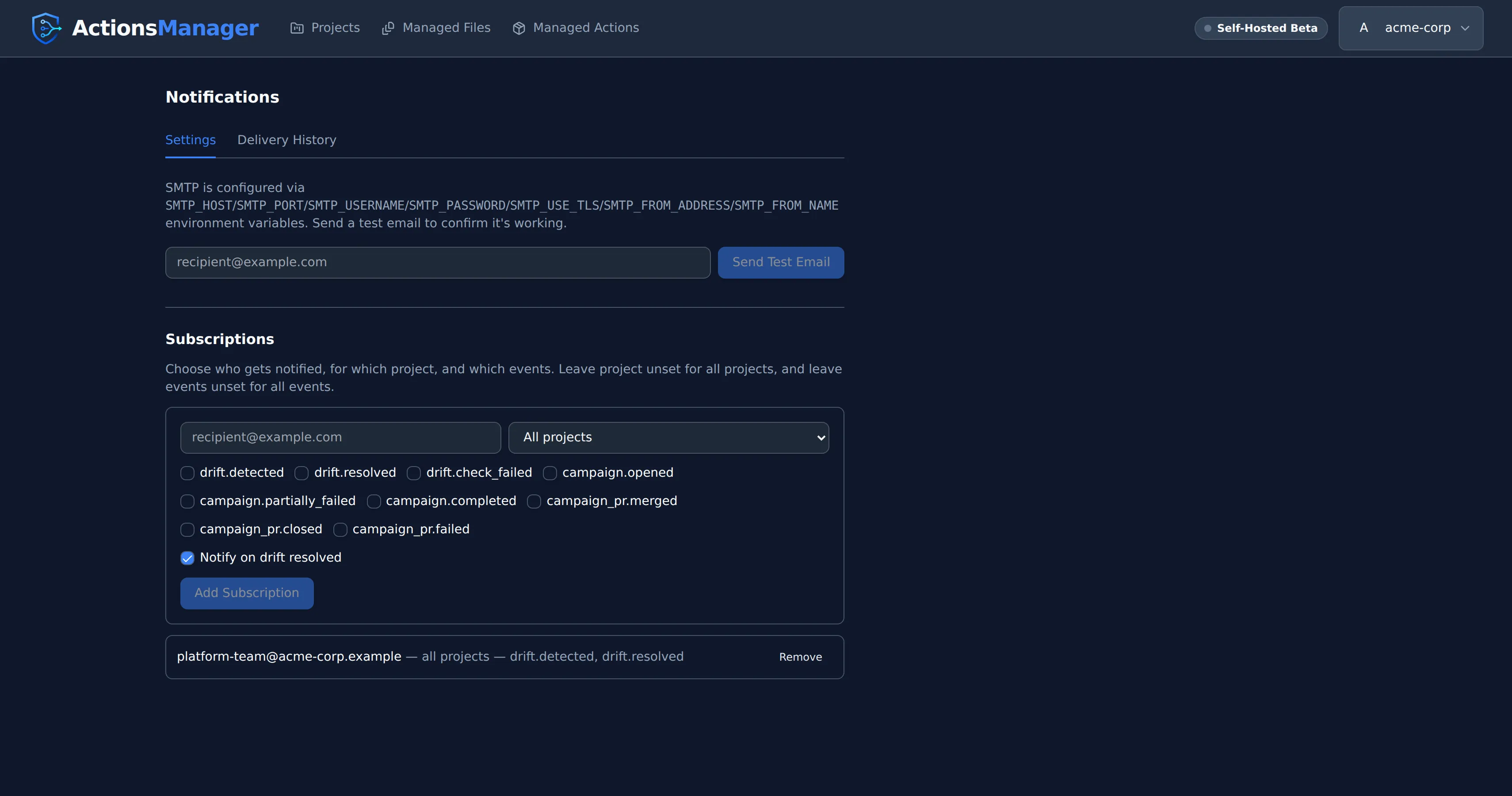
Open Notifications from the account menu and use Send Test Email to confirm the configuration works. Connection, TLS, and authentication failures are reported with their specific cause, not a generic error.
Subscriptions
Section titled “Subscriptions”A subscription tells ActionsManager who to email, and about what:
- Recipient — the email address to notify
- Project scope — a specific project, or all projects
- Events — which event types to notify on (leave empty for all)
- Notify on drift resolved — whether resolution emails are sent in addition to detection emails
Workspace admins manage subscriptions under Notifications in the account menu.
Delivery History
Section titled “Delivery History”The same page shows recent delivery attempts: which event, which recipient, current status (pending / sent / failed), and the most recent failure reason if delivery hasn’t succeeded yet. Failed deliveries are retried automatically with backoff and don’t block drift checks or campaign operations.
Event Reference
Section titled “Event Reference”| Event | Meaning |
|---|---|
drift.detected |
A workflow transitioned from in-sync to drifted |
drift.resolved |
A drifted workflow returned to in-sync |
drift.check_failed |
A drift check failed (API or permission error) |
campaign.opened |
A PR campaign was created |
campaign.partially_failed |
Some repositories failed PR creation during an otherwise-successful campaign |
campaign.completed |
Every PR in a campaign is merged or closed |
campaign_pr.merged |
An individual campaign PR was merged |
campaign_pr.closed |
An individual campaign PR was closed without merging |
campaign_pr.failed |
An individual repository failed PR creation |
Current Limitations
Section titled “Current Limitations”- Drift notification freshness follows the drift check cadence: projects are re-checked on a background schedule (every 15 minutes by default), so a drift introduced just after a check is notified on the next one. A project whose owner has no saved GitHub token isn’t checked automatically at all, and so won’t notify until someone runs Check Now — see Drift Detection.
- Editing an existing campaign (adding/removing repos, changing merge behavior, etc.) and explicitly closing a campaign don’t have dedicated notification events yet, since ActionsManager doesn’t have those actions today.
- Only email is supported. Slack, Microsoft Teams, and generic webhooks are not implemented.
© 2026 ActionsManager. All rights reserved.